
In the course of using the text analytics tool you may encounter comments that are not assigned sentiment, emotion or topics the way you think they should be. You can take action to correct those situations. You may also have a need to perform manual topic assignment.
To perform this action you need to be in the ‘maximized’ mode of the text viewer. If you are using the Discover Terms tool, you will need to click the arrow icon in the upper-left corner of the text viewer.

Once in ‘maximized’ view, click the assignment icon in the upper-right corner of the box.
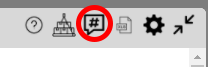
Clicking the assignment icon will reveal the assignment pane. The comments will appear on the left of the text viewer with the assignment pane on the right. Locate the comment you wish to make changes to and click it.
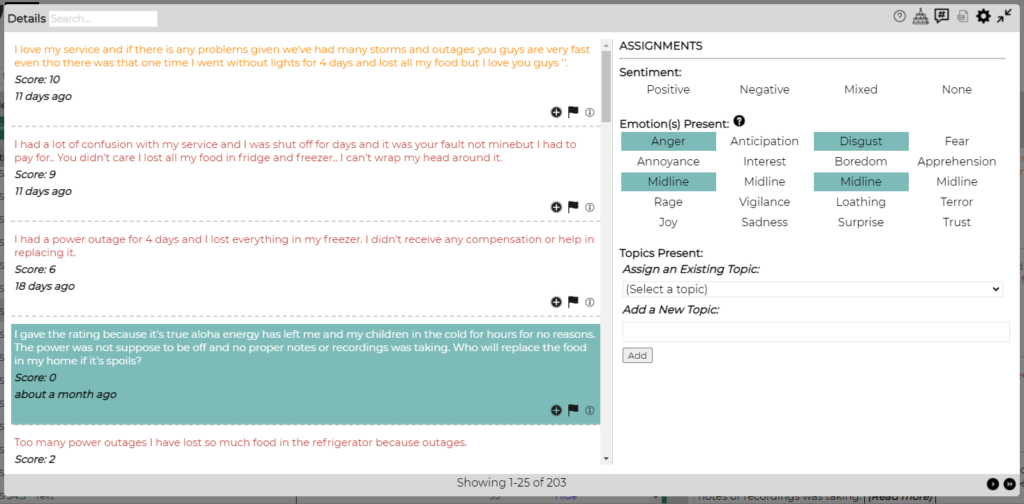
The assignments pane allows you to perform the following actions:
- Change the assigned sentiment for the comment
- Add or remove emotion assignments
- Add or remove topics that are assigned to the comment
Changes are saved as you make them. It may take a couple seconds for your changes to be reflected throughout the tool.
Frequently Asked Questions
Q: If I make a change, will it apply to future records automatically?
A: No, not automatically. When a user makes adjustments to system-managed assignments (sentiment, emotion, topics), we record those changes and they are reviewed by the Bellomy Text Analytics specialists. In most cases the changes that users make are used to improve the training of the system so that future data we process will benefit from those changes.
Q: Is there a limit to the number of topics that can be assigned to a comment?
A: No.